We have compiled a list of manufacturers, distributors, product information, reference prices, and rankings for General purpose 2D CAD.
ipros is IPROS GMS IPROS One of the largest technical database sites in Japan that collects information on.

General purpose 2D CAD - List of Manufacturers, Suppliers, Companies and Products | IPROS GMS

General purpose 2D CAD Product List

1~16 item / All 16 items

Displayed results

General-purpose 2D CAD 'ZWCAD'

Boasting sales achievements of over 900,000 people in 90 countries worldwide! A high-performance, cost-effective general-purpose 2D CAD compatible with DWG.

"ZWCAD" adopts the OpenDWG file format as a standard and has high compatibility with Autodesk. It is used by over 950,000 users in 95 countries around the world, and thanks to memory optimization technology, it operates smoothly even with large drawings. It supports the design process in a smarter and more efficient way, such as saving voice annotations in drawings with smart voice, fostering innovation. The licensing is a perpetual license model. Version upgrades can be done at any time for a uniform price. For five or more licenses, it is also possible to build a network license without additional costs. This reduces not only initial costs but also running costs. [Recommended for those with the following concerns] ■ Considering switching from AutoCAD or purchasing additional AutoCAD licenses ■ Considering switching along with customizations created in AutoCAD such as lisp, ARX, VBA, etc. ■ Looking for a cost-effective 2D CAD solution *For more details, please refer to the PDF materials or feel free to contact us.

  • Other CAD
  • Other CAM related software
  • General purpose 2D CAD

Added to bookmarks

Bookmarks list

Bookmark has been removed

Bookmarks list

You can't add any more bookmarks

By registering as a member, you can increase the number of bookmarks you can save and organize them with labels.

Free membership registration

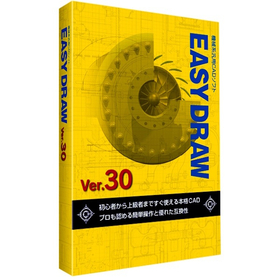
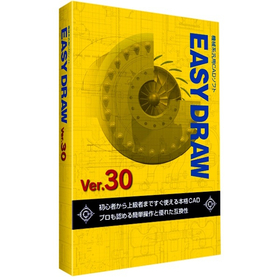
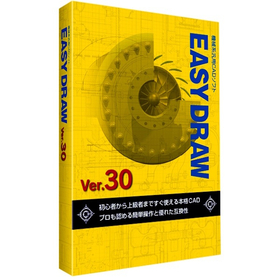
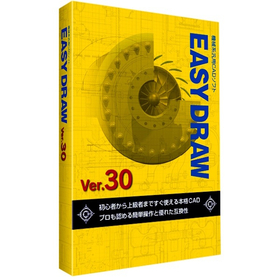
[EASYDRAW for Shipbuilding] Ver30

Streamline drawing creation! 2D CAD that meets the needs of the shipbuilding industry.

In the shipbuilding industry, it is essential to create accurate and efficient design drawings for complex structures. In particular, precision in details such as hull strength calculations and the arrangement of outfitting is crucial. Errors in drawings can lead to rework during the manufacturing process and increased costs. EASYDRAW Ver.30 is equipped with features for editing large drawings and reading PDF drawings, supporting the efficiency of drawing creation in the shipbuilding industry. 【Usage Scenarios】 - Creation of hull structure drawings - Creation of outfitting arrangement drawings - Modification and changes to drawings 【Benefits of Implementation】 - Reduction in drawing creation time - Decrease in design errors - Cost savings

Added to bookmarks

Bookmarks list

Bookmark has been removed

Bookmarks list

You can't add any more bookmarks

By registering as a member, you can increase the number of bookmarks you can save and organize them with labels.

Free membership registration

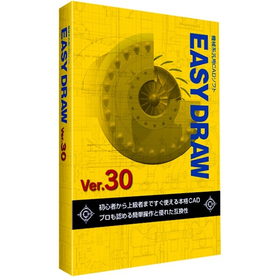
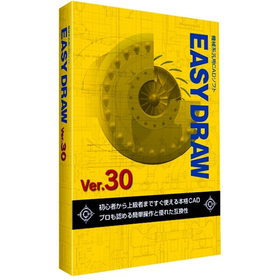
EASYDRAW Ver30 for Home Appliance Enclosures

A professional 2D CAD that you can use from the day you purchase it!

In the design of home appliance enclosures, the complexity of design is increasing due to the miniaturization and enhancement of product functionality. Changes in the enclosure design have a significant impact on the overall design and functionality of the product, necessitating accurate and efficient CAD software. EASYDRAW Ver.30 is equipped with features for comparing drawings before and after design changes, as well as the ability to read PDF drawings, thereby improving design efficiency. 【Usage Scenarios】 - Design of home appliance enclosures - Comparison of drawings during design changes - Utilization of PDF drawings 【Benefits of Implementation】 - Reduction in design time - Decrease in design errors - Improvement in design quality

Added to bookmarks

Bookmarks list

Bookmark has been removed

Bookmarks list

You can't add any more bookmarks

By registering as a member, you can increase the number of bookmarks you can save and organize them with labels.

Free membership registration

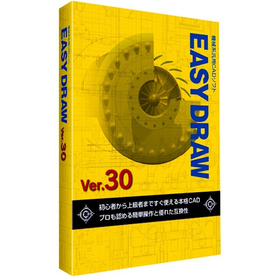
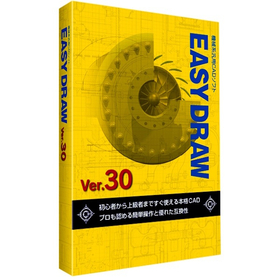
[Energetics Industry] EASYDRAW Ver30

A genuine 2D CAD that can be used from the day of purchase! Perfect for piping design.

In the energy industry, piping design requires safety and efficiency. Particularly, designs that can withstand complex piping layouts and changes in pressure and temperature are crucial. Inadequate design can lead to interruptions in energy supply or accidents. EASYDRAW Ver.30 allows for editing large-scale drawings and displaying multiple drawings simultaneously, making it easy to compare designs before and after changes. This contributes to the efficiency and quality improvement of piping design. 【Usage Scenarios】 - Plant piping design - Gas and water piping design - Design of energy supply facilities 【Benefits of Implementation】 - Reduction in design time - Decrease in design errors - Cost savings

Added to bookmarks

Bookmarks list

Bookmark has been removed

Bookmarks list

You can't add any more bookmarks

By registering as a member, you can increase the number of bookmarks you can save and organize them with labels.

Free membership registration

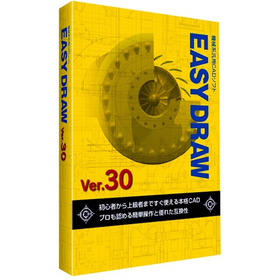
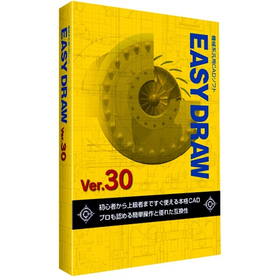
EASYDRAW Ver30 for Mold Processing

A genuine 2D CAD that you can use from the day you purchase it!

In the mold processing industry, accuracy in design drawings and efficient processing are required. Particularly for molds that demand complex shapes and high precision, the usability and functionality of CAD software are crucial. If modifications and comparisons of drawings cannot be performed smoothly, it may lead to increased processing time and decreased accuracy. EASYDRAW Ver.30 is equipped with large-capacity drawing editing and comparison functions, enhancing design efficiency in mold processing. 【Usage Scenarios】 - Creation of mold design drawings - Comparison of drawings before and after design changes - Importing PDF drawings 【Benefits of Implementation】 - Reduction in design time - Decrease in errors - Cost savings

Added to bookmarks

Bookmarks list

Bookmark has been removed

Bookmarks list

You can't add any more bookmarks

By registering as a member, you can increase the number of bookmarks you can save and organize them with labels.

Free membership registration

EASYDRAW Ver30 for Automotive Design

A genuine 2D CAD that can be used from the day of purchase!

In the field of automotive design, precise drawing creation and quick responses to design changes are required. Particularly in automotive design, which involves a large number of parts, managing drawings and tracking change histories are crucial. Errors in drawings or missed changes can lead to problems in the manufacturing process and increased costs. EASYDRAW Ver.30 is equipped with features for editing large drawings and comparing drawings, enhancing design efficiency. 【Usage Scenarios】 - Design of automotive parts - Body design - Drawing comparison during design changes 【Benefits of Implementation】 - Reduction in design time - Decrease in design errors - Cost savings

Added to bookmarks

Bookmarks list

Bookmark has been removed

Bookmarks list

You can't add any more bookmarks

By registering as a member, you can increase the number of bookmarks you can save and organize them with labels.

Free membership registration

Aerospace Version 30 EASYDRAW

Streamline your analysis work with 2D CAD that you can use from the day of purchase!

In the aerospace industry, the analysis tasks require accuracy and efficient utilization of design data. Particularly in aircraft design and component strength analysis, the compatibility of CAD data and ease of editing are crucial. If data conversion between different CAD systems or editing complex shapes takes too much time, it can lead to delays and errors in analysis. EASYDRAW Ver.30 is equipped with a PDF drawing import function, allowing it to read drawings output from widely used CAD systems in the CAD industry. This supports effective utilization of design data and improves the efficiency of analysis tasks. 【Usage Scenarios】 * Creation of aircraft design drawings * Strength analysis of components * Ensuring compatibility of CAD data * Drawing modification tasks 【Benefits of Implementation】 * Increased efficiency of analysis tasks * Reduction of design errors * Cost savings * Improved data compatibility

Added to bookmarks

Bookmarks list

Bookmark has been removed

Bookmarks list

You can't add any more bookmarks

By registering as a member, you can increase the number of bookmarks you can save and organize them with labels.

Free membership registration

EASYDRAW Ver30 for Machine Tools

2D CAD software that can be used from the day of purchase.

In the machine tool industry, modeling work requires accurate drawing creation and efficient design changes. Particularly when dealing with complex shapes and precise parts, the performance of CAD software greatly influences work efficiency. Compatibility of drawings and responsiveness to design changes are also important factors. EASYDRAW Ver.30 has enhanced its capabilities to meet these needs by strengthening large-capacity drawing editing and drawing comparison functions, as well as incorporating PDF drawing import functionality. 【Usage Scenarios】 - Design of machine tools - Modeling of parts - Modification of drawings - Design changes 【Benefits of Implementation】 - Efficient drawing creation - Reduction in design change time - Utilization of PDF drawings - Improved cost performance

Added to bookmarks

Bookmarks list

Bookmark has been removed

Bookmarks list

You can't add any more bookmarks

By registering as a member, you can increase the number of bookmarks you can save and organize them with labels.

Free membership registration

EASYDRAW Ver30 for Medical Devices

2D CAD supporting precision medical device design

In the medical device industry, precise design is required. Especially for medical devices that involve human lives, the accuracy of the design is crucial. If the usability of CAD software is poor, it can take longer to complete designs and mistakes are more likely to occur. EASYDRAW Ver.30 supports the design of precise medical devices with an interface that is easy for beginners to use. 【Usage Scenarios】 - Design of medical device components - Design of medical device enclosures - Modification of design drawings 【Benefits of Implementation】 - Reduction in design time - Decrease in design errors - Cost savings

Added to bookmarks

Bookmarks list

Bookmark has been removed

Bookmarks list

You can't add any more bookmarks

By registering as a member, you can increase the number of bookmarks you can save and organize them with labels.

Free membership registration

EASYDRAW Ver30 for Semiconductor Manufacturing Equipment

Strongly supports the layout design of semiconductor manufacturing equipment!

In the semiconductor manufacturing equipment industry, the miniaturization and high density of devices are progressing, making the accuracy of layout design crucial. In particular, optimizing component placement, securing wiring paths, and conducting interference checks are required within limited space. EASYDRAW Ver.30 addresses these challenges by providing large-capacity drawing editing, drawing comparison functions, and PDF drawing import capabilities, thereby supporting efficient and accurate layout design. 【Usage Scenarios】 * Layout design for semiconductor manufacturing equipment * Consideration of component placement * Design of wiring paths * Drawing revisions and change management 【Benefits of Implementation】 * Reduction in design time * Decrease in design errors * Cost savings * Improvement in design quality

Added to bookmarks

Bookmarks list

Bookmark has been removed

Bookmarks list

You can't add any more bookmarks

By registering as a member, you can increase the number of bookmarks you can save and organize them with labels.

Free membership registration

EASYDRAW Ver30 for Robot Simulation

2D CAD software that accelerates robot design.

In the robotics industry, accurate drawing data is essential for simulations. Creating precise drawings using 2D CAD significantly affects the efficiency of design when verifying robot movements and checking for interferences. EASYDRAW Ver.30 is equipped with features for editing large drawings and importing PDF drawings, streamlining the design process. 【Usage Scenarios】 - Creating design drawings for robots - Generating 2D data for simulations - Verifying the range of motion for robotic arms 【Benefits of Implementation】 - Reduced design time - Improved simulation accuracy - Cost savings

Added to bookmarks

Bookmarks list

Bookmark has been removed

Bookmarks list

You can't add any more bookmarks

By registering as a member, you can increase the number of bookmarks you can save and organize them with labels.

Free membership registration

EASYDRAW Ver30 for Plants

2D CAD that streamlines plant layout design.

In the plant industry, accurate drawing creation and responsiveness to changes are required in equipment layout design. Particularly, efficient arrangement within limited space and compliance with regulations are important. Improper layout can lead to decreased work efficiency and safety issues. EASYDRAW Ver.30, equipped with large-capacity drawing editing and comparison functions, supports solving challenges in plant layout design. 【Usage Scenarios】 - Plant equipment layout design - Consideration of piping and equipment layout - Drawing modifications and version management 【Benefits of Implementation】 - Reduction in design time - Decrease in errors - Realization of efficient space utilization

Added to bookmarks

Bookmarks list

Bookmark has been removed

Bookmarks list

You can't add any more bookmarks

By registering as a member, you can increase the number of bookmarks you can save and organize them with labels.

Free membership registration

EASYDRAW Ver30 for Packaging Machinery

A genuine 2D CAD that can be used from the day of purchase! Perfect for mechanical design.

In the field of mechanical design for packaging machinery, precise drawing creation and rapid response to design changes are essential to balance product quality and production efficiency. In particular, the interference of high-speed moving machine parts and the need to accommodate various product sizes increase the complexity of design and raise the risk of design errors. EASYDRAW Ver.30 addresses these challenges by providing large-capacity drawing editing, drawing comparison functions, and PDF drawing import capabilities, thereby improving design efficiency and contributing to enhanced design quality. 【Usage Scenarios】 - Mechanical design of packaging machinery - Creation of part drawings - Drawing comparison during design changes - Utilization of PDF drawings 【Benefits of Implementation】 - Reduction in design time - Decrease in design errors - Improvement in design quality - Cost reduction

Added to bookmarks

Bookmarks list

Bookmark has been removed

Bookmarks list

You can't add any more bookmarks

By registering as a member, you can increase the number of bookmarks you can save and organize them with labels.

Free membership registration

[Many successful implementations in municipalities] Domestic general-purpose 2D CAD for government agencies *Demo available

"Free communication" enables efficient business operations by sharing data transfer, remote drawing verification, and related documents such as schedules and estimates in the cloud!

【DynaCAD Government Version Plus】 This is a package designed for government agencies, featuring easy-to-use functions necessary for public offices, such as support for creating order drawings and change drawings, electronic delivery data checks, and a redline viewer. 〈Features〉 - With strengthened security, it has a proven track record in many municipalities where network authentication is difficult, as well as in those using virtual environments, allowing for tailored proposals to various usage environments! - Choose between a perpetual license and subscription - User-friendly easy operation for beginners - Wide data compatibility (SXF (SFC/SFZ, P21/P2Z, DWG/DXF, JWW, etc.) - Capable of 3D design and data viewing *For more details, please contact us or download the catalog.

  • Other CAD
  • General purpose 2D CAD

Added to bookmarks

Bookmarks list

Bookmark has been removed

Bookmarks list

You can't add any more bookmarks

By registering as a member, you can increase the number of bookmarks you can save and organize them with labels.

Free membership registration

[OCF Certification Passed & Electronic Delivery Compatible] General-purpose 2D CAD for Civil Engineering Made in Japan

[OCF Certification Passed] We offer various licensing options with a permanent license, as well as a subscription model where you can choose the duration! *Demo available.

【DynaCAD Civil Plus】 Supports multiple sites and manages measurement points and plot data for each site. Measurement points and plots can not only be obtained through mouse instructions from drawings and plotted (drafted) onto the drawings, but can also be used in various calculations and referenced or utilized through various civil engineering commands. 〈Features〉 - Selectable permanent license - Easy operation friendly for beginners - Wide data compatibility (SXF (SFC/SFZ, P21/P2Z), DWG/DXF, JWW, etc.) - Rich set of civil engineering-specific commands included

  • Other CAD
  • General purpose 2D CAD

Added to bookmarks

Bookmarks list

Bookmark has been removed

Bookmarks list

You can't add any more bookmarks

By registering as a member, you can increase the number of bookmarks you can save and organize them with labels.

Free membership registration

[Permanent License + Electronic Delivery Support] Domestic General-purpose 2D CAD *Demo Available

Utilization results in 11 prefectural offices and 204 municipalities nationwide! With the raster editing function, you can effectively utilize previously created drawings!

【DynaCAD】 A versatile 2D CAD system that can be used widely without specific applications. It features natural mouse operations that feel like handwriting, easy-to-use commands, and allows for free changes to settings. You can truly experience its ease of use. Both raster and vector data can be fully edited within DynaCAD! 〈Features〉 - Choose between a perpetual license and subscription - Easy operation friendly for beginners - Wide data compatibility (SXF (SFC/SFZ, P21/P2Z, DWG/DXF, JWW, etc.) - Utilize paper drawings provided by clients *For more details, please download the catalog from below or contact us for more information.

  • Other CAD
  • General purpose 2D CAD

Added to bookmarks

Bookmarks list

Bookmark has been removed

Bookmarks list

You can't add any more bookmarks

By registering as a member, you can increase the number of bookmarks you can save and organize them with labels.

Free membership registration